

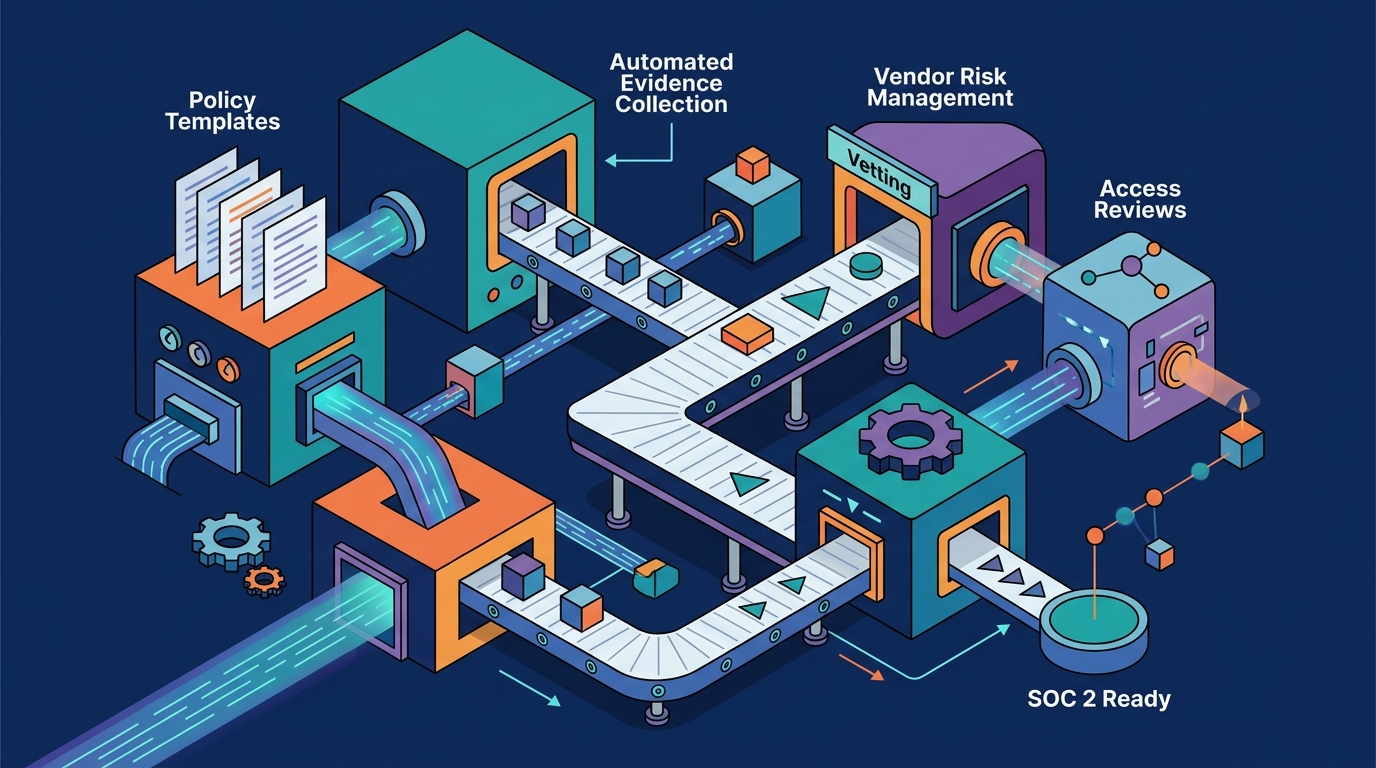
Keel provides a self-serve SOC 2 readiness platform designed specifically for startups and growing teams. It allows organizations to stand up a compliance program in an afternoon without requiring a dedicated GRC team or a mandatory sales call. This guide covers the core operational modules that make self-serve compliance possible, including automated evidence collection, policy templates, vendor risk management, access reviews, and compliance automation.
Automated Evidence Collection
Manual evidence collection is the primary bottleneck for small teams attempting to achieve SOC 2 compliance. Keel addresses this by treating evidence as a first-class citizen within its control and evidence graph. The platform allows users to upload artifacts, link them directly to specific controls, and keep them fresh over time. This ensures that when an auditor requests proof, the data is already organized and current.
Continuous Monitoring and Freshness
Static screenshots expire quickly, rendering them useless for a Type II audit. Keel supports continuous checks that keep evidence flowing automatically. By integrating with the tools a startup already uses, the platform can verify that controls are operating as designed without requiring manual intervention for every single data point. This reduces the administrative burden on IT and security leaders who are already stretched thin.
Linking Evidence to Controls
In traditional spreadsheets, evidence often lives in disconnected folders. In Keel, evidence is linked to the control it satisfies. A single control can map to multiple framework requirements, meaning one piece of evidence can support compliance across SOC 2, ISO 27001, and other standards simultaneously. This crosswalk-native approach ensures that collecting evidence once counts everywhere, eliminating the need to duplicate work for each new framework.
Policy Templates
Writing security policies from scratch is a significant time sink for founders. Keel provides a library of 75+ framework-mapped policy templates that users can fill in, approve, and export as branded PDFs. These templates are not generic placeholders; they are mapped to specific requirements in standards like SOC 2 and ISO 27001. This ensures that the policies you publish actually satisfy the auditor's checklist.
Drafting with AI
Versioning and Approvals
Audit readiness requires proof that policies are reviewed and approved by the right people. Keel tracks policy owners, review dates, and coverage gaps. The platform supports versioning, so you can see the history of changes to a document. When a policy is updated, the system records the approval, creating an audit trail that demonstrates active governance rather than static, forgotten documents.
Vendor Risk Management
Startups rely heavily on third-party services, from cloud infrastructure to HR platforms. Vendor risk management is the process of identifying, assessing, and mitigating the risks associated with these third parties. Keel allows teams to inventory the vendors that touch their data, rate them by criticality, and review them on a defined cadence. This ensures that no critical dependency goes unreviewed, a common finding in SOC 2 audits.
Review Cadences and Criticality
Not all vendors carry the same risk. A critical vendor that processes customer data requires more frequent and rigorous review than a low-risk vendor that provides office supplies. Keel lets you assign a criticality rating to each vendor and set a review cadence accordingly. The system tracks when reviews are due and flags any that are overdue, helping teams prioritize their limited time on the highest-risk relationships.
Third-Party Risk Assessment
Assessing a vendor's security posture often involves sending them a questionnaire. Keel supports this workflow by allowing teams to track the status of vendor assessments. When a vendor completes their assessment, the results are recorded in the platform, providing evidence that the startup has due diligence in place. This is a key requirement for SOC 2's security criteria, which mandate that organizations manage the risks associated with third-party service providers.
Access Reviews
Access reviews are a core component of SOC 2 compliance. They involve periodically verifying that users have appropriate access to systems and data. Keel simplifies this process by syncing staff data from Microsoft Entra, Google Workspace, or CSV files. Once synced, users can certify access with keep, revoke, or modify actions, and the system records the sign-off as audit evidence.
Directory Sync and Certification
Manual access reviews are error-prone and time-consuming. By syncing with a directory, Keel ensures that the list of users is always up to date. When a new employee joins, they appear in the review queue. When an employee leaves, their access can be flagged for revocation. The certification process is straightforward: a manager reviews the list and confirms that each user's access is appropriate. The system records who performed the review and when, creating a clear audit trail.
Flagging Changes
Access reviews are not just about confirming existing access; they are also about detecting changes. Keel flags changes in user access between reviews, allowing managers to spot anomalies or unauthorized grants. This proactive approach helps prevent security incidents caused by stale or excessive access, a common root cause of breaches in small organizations.
Compliance Automation
Compliance automation refers to the use of software to reduce the manual effort required to maintain a compliance program. Keel is built on a single control and evidence graph, where each module is a view over the same data. This architecture allows for deep automation, from collecting evidence to generating reports. The platform includes AI tools that are woven into the modules where the work actually happens, rather than being a separate chatbot.
AI Insights and Readiness Reports
Keel's AI Insights feature provides a rundown of the entire compliance program. It identifies readiness gaps, policy and vendor issues, and stale evidence, presenting them in a ranked list. Each finding is linked to the screen where the user can fix it. This turns a dashboard that tells you where you stand into a tool that tells you what to do next. The full breakdown runs on live data and uses no AI credits, making it a cost-effective way to stay on track.
Trust Center and Public Proof
Automation is not just for internal use; it also helps with external communication. Keel allows teams to publish a branded, public trust center with downloadable policies. This page proves your security posture to prospects and customers, helping to close deals faster. The trust center is automatically updated as you make changes to your program, ensuring that your public claims always match your internal reality.
| Feature | Manual Approach | Keel Self-Serve Approach |
|---|---|---|
| Evidence Collection | Manual screenshots, disconnected folders | Continuous checks, linked to controls |
| Policy Management | Written from scratch, rarely updated | 75+ templates, AI drafting, versioning |
| Vendor Risk | Spreadsheet, ad-hoc reviews | Inventory, criticality ratings, cadences |
| Access Reviews | Manual lists, no audit trail | Directory sync, certified sign-offs |
| Readiness Tracking | Subjective, hard to quantify | AI Insights, ranked gaps, readiness % |
Key Takeaways
- Keel is a self-serve GRC platform that allows startups to stand up a SOC 2 program in an afternoon without a sales call.
- The platform uses a crosswalk-native architecture, so one control and its evidence can satisfy multiple frameworks like SOC 2 and ISO 27001.
- Automated evidence collection keeps data fresh and linked to controls, reducing the manual burden of audit preparation.
- A library of 75+ policy templates and AI-assisted drafting helps teams create compliant documentation quickly.
- Vendor risk management tracks third parties by criticality and review cadence, ensuring no critical dependency is overlooked.
- Access reviews sync with directories like Microsoft Entra and Google Workspace, providing a clear audit trail of certifications.
- AI Insights provides a ranked list of readiness gaps, turning compliance data into actionable tasks.
- A public trust center allows teams to prove their security posture to customers, helping to accelerate sales cycles.
Frequently Asked Questions
What is a self-serve SOC 2 readiness platform?
A self-serve SOC 2 readiness platform is software that allows organizations to set up and manage their compliance program without requiring a consultant or a sales-assisted rollout. It provides tools for controls, evidence, policies, and vendor risk, with transparent pricing and a free tier.
How does Keel handle evidence for multiple frameworks?
Keel uses a crosswalk-native architecture where controls are the unit of work. A single control is mapped to the requirements of every framework it satisfies. This means you collect evidence once, and it counts toward SOC 2, ISO 27001, and other standards simultaneously.
Do I need a dedicated compliance team to use Keel?
No. Keel is designed for small and mid-sized companies that do not have a dedicated GRC team. A guided setup walks you from zero to a working program in an afternoon, and the platform automates much of the ongoing maintenance.
What is the difference between SOC 2 Type I and Type II?
A SOC 2 Type I report evaluates whether your controls are suitably designed at a single point in time. A Type II report goes further and evaluates whether those controls operated effectively over a period of time, typically six to twelve months. Keel supports both by providing continuous evidence collection.
How does Keel automate access reviews?
Keel syncs user data from directories like Microsoft Entra or Google Workspace. It then presents this data for certification, where managers can keep, revoke, or modify access. The system records the sign-off as audit evidence, creating a clear trail of who reviewed access and when.
Can I export my data from Keel?
Yes. Keel is built on the principle of data portability. You can export your registers, policies, and evidence files using open formats. The company also provides an open-source tool called keel-migrate to help you move your data to other platforms if needed.